A Connectivity Pattern Library for Hardware Mockups
Over the last 2 years, I've been building interactive hardware prototypes for clients from small-team startups to multi-month engagements with Fortune 500 companies. The work is usually the same problem: a team has been discussing a product experience for months, sometimes years, and they need something physical to hold, press, and react to in order to check if it matches what they imagined. It gives everyone something concrete to point at during a conversation about what's working and what's not.
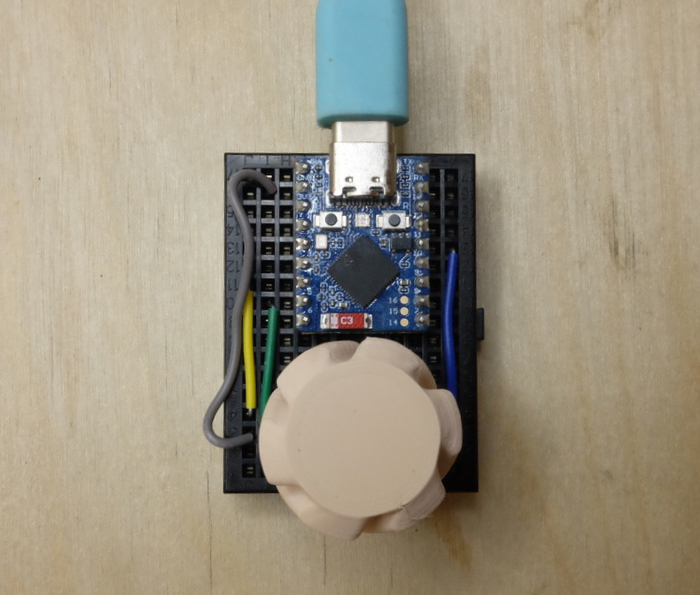
Starting each of these projects from zero made the repeatable patterns obvious in a way that years of iterating on past prototypes at Amazon didn't. While every project had very different hardware inputs and user feedback outputs, I kept reaching for the same handful of connectivity setups with slight differences depending on what the experience needed. Here I’m documenting some of the patterns I’ve found useful. They’re not novel in the world of physical computing but they’re obscure in the common software development so aren’t so much invention as they are finding the simplest hardware stack that can enable unique experiences.
When discussing the basics of prototyping value, I come back to Mike Dodge's article, A Scientific Method for Impactful UX Prototyping (archive), laying out that a prototype impact is inversely dependant on time spent getting the learnings. These patterns allow each "surface" to be iterated on progressively allowing quick and simple implementation early with connectivity complexity added in later iterations. For example, the same ESP32 board can start as a tethered demo, then expanded as a phone-controlled device or a standalone product simulator depending on the most ambiguous needs of a project.
Here are a few I keep coming back to:
Browser as Interface (WebBluetooth)
Chrome supports WebBluetooth (MacOS/Windows/Android), which means a device can connect to a laptop browser without any software install. This is hugely useful for very quick multi-modal mockups. I've also used it in corporate and remote environments where IT locks everything both the network and a test computer. You can ship someone a device and a URL, and they're connected.
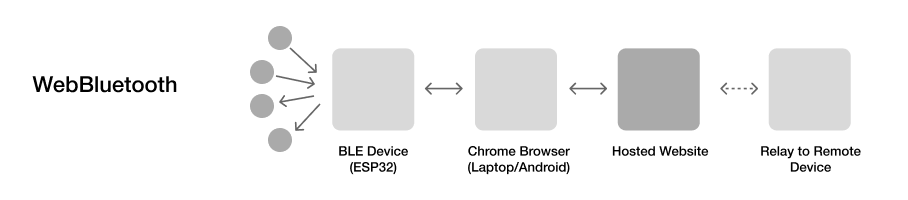 I've used this for remote user testing where participants connect a sensor-equipped board and the browser page collects data and provides visual feedback. No app, no drivers, no permissions headache.
Device as Its Own Network (WiFi Access Point)
Sometimes you don't know what WiFi will be available at the testing site, or the test environment is out and about. The ESP32 can act as its own access point and web server simultaneously — it becomes the network and the application. Someone connects their phone to the device's WiFi, opens a browser, and gets a full interface for controlling or monitoring the hardware. Fully offline, fully self-contained.
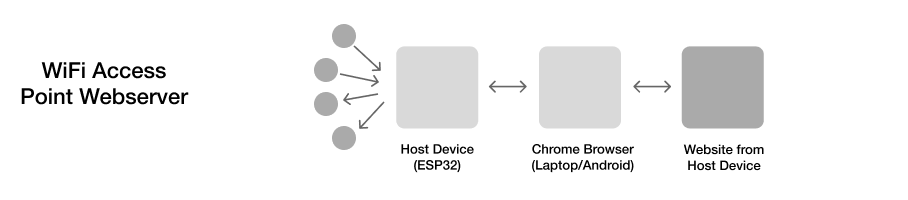 This setup works well when simulating something like a product setup flow of a device + phone interaction or smart glasses + device interaction with limited cell connection. The display surface (phone/laptop/glasses) and the hardware device can simulate a real product experience with minimal dependancies.